

Web Development Courses in Ahmedabad

Best Web Front-end Development Course in Ahmedabad by Experienced Developers and work on Live Projects

4.5 (1038)
View Reviews
4.7 (312)
View Reviews

Certificate Partner(s): NSDC/Skill India

Certificate Partner Logo
  • Hands on Training
  • Flexible Timings
  • Industry Based Training
  • Expert Trainer
  • Affordable Fees
  • Placement Opportunities

Attend a Free Demo

Fill the details and we will call you for further guidance

Web Development Courses in Ahmedabad Icon

Our Facts and Figures

1 Lac+

Student Placed

3000+

Companies TieUp

19+

Offices in India

50+

Industry Courses

Get 100% Job Assistance by enrolling in Certified Web Development Course

Job Assistance
3000+ Companies Tie-Ups

Enter Your Details Now

Key Highlights

Limited Students Batch
Personalised Attention
Highly Qualified Teachers
Flexible Batch Timings
Interactive Learning
Live Projects
Career Support
Job Oriented Training

Web Development Course Highlights

Web Development Courses in Ahmedabad — 100% Placement Assistance + Live Projects

Our Web Development Courses in Ahmedabad are carefully designed to move you from fundamentals to professional web developer with hands-on projects and interview-ready portfolios. This course in Ahmedabad includes live assignments, mentor support, and 100% Placement Assistance to help learners secure roles in local tech firms and startups. Learn more about Ahmedabad on Wikipedia.

TOPS Technologies has 4 training centers in Ahmedabad — CG Road, SG Road, Nikol, and Maninagar — making access easy for students across the city.

  • 100% Placement Assistance with corporate tie-ups and interview scheduling
  • Live project training — build real websites and client-style projects
  • Flexible batches for students and working professionals (weekend & weekday)
  • Expert trainers with industry experience in full-stack development
  • Certification support, portfolio review and career guidance with mock interviews

Why Choose Web Development Courses in Ahmedabad?

Ahmedabad’s tech ecosystem is expanding with startups, digital agencies and product teams seeking web developers who can deliver modern, responsive websites and web applications. Enrolling in Web Development Courses in Ahmedabad gives you practical skills in HTML, CSS, JavaScript, popular frameworks, and backend technologies. Local demand for web development in Ahmedabad is strong — companies need developers who understand UI, performance and SEO-friendly markup. Our program blends theory with project work so you graduate ready to contribute to real projects and benefit from 100% Placement Assistance.

Local Hiring & Industry Relevance

Hiring managers in Ahmedabad look for developers familiar with modern stacks, performance optimizations, and deployment workflows. Industries hiring include e-commerce, fintech, education technology, digital marketing agencies, and in-house product teams. Completing this Web Development Courses in Ahmedabad helps you demonstrate practical experience and a professional portfolio — making you more attractive for junior developer and intern roles.

Job Opportunities in Ahmedabad

There are growing opportunities for web developers across Ahmedabad’s tech scene. Entry-level web developers typically start with salaries in the range of ₹2.5 LPA to ₹4 LPA in Ahmedabad, with rapid growth potential as you gain experience or specialize. This course trains you on how to build production-ready websites, work with APIs, and deploy to cloud platforms — skills that hiring teams actively search for.

Job Designations After Completing the Course

  • Front-end Web Developer
  • Full-stack Web Developer
  • Web Application Developer
  • UI Developer
  • Junior Web Developer
  • React / Angular Developer
  • Backend Developer (Node.js/PHP)
  • WordPress Developer
  • Web Designer with front-end skills

Who Can Enroll?

  • Freshers seeking a practical web development course in Ahmedabad
  • Graduates aiming for a job in web development
  • College students who want skill-based learning
  • Working professionals upskilling to frontend or full-stack roles
  • Career switchers and entrepreneurs building MVPs

What to Expect From This Training

Expect a hands-on curriculum, live project mentoring, end-to-end deployment training, and career preparation activities. You will receive certification, work on real client-style projects, use industry tools (Git, VS Code, Chrome DevTools), and attend CareerFest events. Resume building, mock interviews, and 100% Placement Assistance are integral parts of the program to ensure you transition smoothly into the job market.

Curriculum Overview

  1. Module 1: HTML & CSS Fundamentals — Semantic HTML, CSS Grid, Flexbox, responsive design, and accessibility basics.
  2. Module 2: JavaScript Essentials — ES6+, DOM manipulation, asynchronous programming, and modern tooling.
  3. Module 3: Frontend Frameworks — Introduction to React/Angular/Vue, component architecture and state management.
  4. Module 4: Backend Basics — Node.js, Express, REST APIs, authentication and database integration (MongoDB/MySQL).
  5. Module 5: Full-Stack Project — Build a complete web application, integrate frontend with backend, and deploy.
  6. Module 6: CMS & E-commerce — WordPress basics, headless CMS concepts and building small e-commerce flows.
  7. Module 7: Deployment & DevOps Essentials — Hosting, CI/CD basics, and performance optimization.

Placement & Career Support

TOPS Technologies offers dedicated placement services through JobFest, CareerFest / Campus Drive, and the Placement Cell. Our corporate tie-ups with local agencies and product companies enable interview pipelines for students. Placement support includes resume review, portfolio feedback, mock technical and HR interviews, and interview scheduling — all part of our commitment to 100% Placement Assistance.

Testimonials

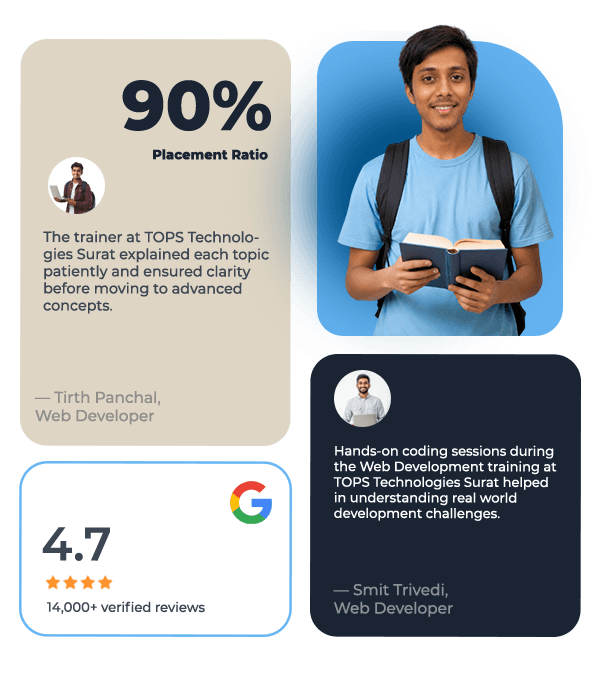
“The web development ahmedabad course at TOPS gave me hands-on experience and a portfolio that helped me land my first job.”

“I enrolled in a web development courses in ahmedabad and appreciated the live projects and the mentor support.”

“The web design training ahmedabad classes helped me transition into a frontend developer role quickly.”

“I chose a web development course in ahmedabad for the practical approach and placement support — highly recommended.”

Local Centers — Train at the nearest TOPS Technologies centre

TOPS Technologies CG Road

Address: TOPS House, 2, Chimanlal Girdharlal Rd, Shanti Sadan Society, Ellisbridge, Ahmedabad, Gujarat 380006

Phone: +919974755006

TOPS Technologies SG Road

Address: 102, Baleshwar Square, Iskcon Cross Rd, Sarkhej - Gandhinagar Hwy, opposite Iskcon Mandir, Ahmedabad, Gujarat 380015

Phone: +919904422211

TOPS Technologies Maninagar

Address: 401, Amruta Arcade, Maninagar Char Rasta, Lala Lajpat Rai Marg, Maninagar, Ahmedabad, Gujarat 380008

Phone: +919974863333

TOPS Technologies Nikol

Address: 401, TOPS Technologies, Hilltown Landmark, Nikol Canal Rd, Opp. Das Khaman, Nikol, Ahmedabad, Gujarat 380049

Phone: +917624007666

Other Local Insights

Students in Ahmedabad prefer practical, short-cycle training that leads to portfolio pieces and immediate job readiness. Demand for web development in ahmedabad and web developer course in ahmedabad reflects a market looking for hands-on skills rather than purely theoretical classes. TOPS focuses on project-based learning, industry tools, and placement readiness — reasons why learners choose this course in Ahmedabad.

Begin your career with the most trusted Web Development Courses in Ahmedabad. Gain practical experience, build a portfolio and take advantage of 100% Placement Assistance to secure interviews with local companies.

Advanced Course Insights

Web development remains the backbone of digital products. From responsive marketing websites to complex web applications, employers prioritize developers who can produce maintainable, performant code and ship features quickly. Learning full-stack web development equips you with the versatility to work on UI, backend services, and deployment pipelines.

In the Indian job market and specifically in Ahmedabad, businesses of all sizes seek developers who understand modern JavaScript frameworks, API-driven architectures and cloud deployments. By enrolling in Web Development Courses in Ahmedabad, you acquire in-demand skills, practical project experience and the confidence to pursue roles locally or remotely. The benefits of TOPS Technologies training include mentor-led project reviews, placement networking through JobFest and Campus Drives, and focused interview preparation that raises hiring success rates.

Whether you aim to join a digital agency, a product startup, or freelance as a website developer, this course equips you with the tools, best practices and soft skills needed to succeed. With clear outcomes and 100% Placement Assistance, TOPS helps you turn training into employment opportunities quickly.

See More

40%

Average Salary Hike

4.5 Lacs

Highest Salary

3000+

Hiring Partners

Join Our Free Upcoming Webinar

Web Development Course Curriculum

Download Curriculum

  • Careers in Web Technologies and Job Roles
  • Difference between Web Designer and Web Developer
  • What Is the Facebook Pixel
  • How the Website Works
  • Client and Server Scripting Languages
  • Domains and Hosting
  • Types of Websites (Static and Dynamic Websites)
  • Web Standards and W3C recommendations
  • Responsive Web Designing
  • Protocol
  • Basics of SEO

  • Student Intro , Career Center Login ,What is Internet, HTTP/HTTPS, WWW, Domain name and Top Domain name
  • SEO, What is HTML, What is Text Editor, Web Browser, Downloading Text Editor , HTML Structure, First Program in HTML
  • 1) HTML Introduction 2) HTML Getting Started 3) HTML Elements 4) HTML Attributes 5) HTML Basic Tags
  • 1) HTML Doctypes 2) HTML Layout 3) HTML Head 4) HTML Meta 5) HTML Scripts
  • Practical Examples: 1) Create any simple web page to display your name. 2) Importance of meta tag and Doctypes
  • Tags and self Closing Tags, Basic Tag , Attribute and Events, Marquee Tag
  • HTML - Meta Tags, HTML - Comments, HTML - Images, HTML - Tables, HTML - Lists, HTML - Text Links, HTML - Image Links
  • HTML Headings HTML Paragraphs HTML Links HTML Text Formatting HTML Styles HTML Images
  • HTML - Frames, HTML - Iframes, HTML - Blocks, HTML - Backgrounds, HTML - Colors, HTML - Fonts
  • Anchor Tag, Img Tag, Image Mapping
  • HTML - Fonts, HTML - Forms, HTML - Embed Multimedia ,HTML - Marquees, HTML - Header, HTML - Style Sheet, HTML - Javascript ,HTML - Layouts
  • List Tag, Tables, Forms
  • HTML - Tags Reference, HTML - Attributes Reference, HTML - Events Reference, HTML - Fonts Reference, HTML - ASCII Codes, ASCII Table, Lookup, HTML - Color Names, HTML - Entities, HTML - Fonts, Ref HTML - Events, Ref MIME Media Types, HTML - URL Encoding L
  • PRactical Examples: 1) Create simple Doc and display your name using different heading tag 2) Create link for open google. 3) Create document using all text formatting tags
  • HTML online editor
  • HTML Tables HTML Lists HTML Forms HTML Iframes
  • Practical Examples: 1) Create simple table 2) Create time table for your school 3) Create table with colspanrowspan example 4) Create invoice using table 5) Create hotel menu. 6) Create index page for your book. 7) Create list with different categories.
  • PRactical Examples: Create registration form with all fields and validation

  • 1) CSS 2) In-line CSS Internal Style External Style Sheet @import Style Sheet 3) CSS Class CSS ID
  • What is CSS How to Implement CSS Class and ID Width and Height Css Unit Box Model (Margin,padding,Border) and create basic template design
  • Practical example : Create page with difference color text
  • CSS Selectors , Pseudo Classes and Elements , Float and Clear and Alignment , Font Styling , Opacity and Visibility , Line Height
  • 1) CSS Text 2)CSS Font 3) CSS Background 4) CSS Links 5) CSS Lists 6) CSS Display 7) CSS Visibility
  • Creating Header of Website , Outline , Background , Counter increment , Counter reset ,Cursor , Overflow
  • PRactical Example : Create layout for your project
  • Position , Creating Submenu , Border Radius, Transform , Animation , Font Awesome Icons
  • 1) CSS Layout Model 2) CSS Border 3) CSS Margin 4) CSS Padding 5) CSS Outline
  • Font Family Through Google Font , import fontface rule ,FlexBox
  • 1) CSS Float 2) CSS Align 3) CSS Position 4) CSS Element Size 5) CSS Layer
  • Practical Example : Create image gallery
  • 1) CSS Pseudo Class Selector 2) CSS Pseudo Element Selector
  • CSS Properties 1) Background, 2) border 3) bottom 4) caption-side 5) clear 6) clip 7) color 8) content
  • Practical Example: Create Menu with logo at left side and contact info at right side using clear effect
  • 1) counter-increment 2) counter-reset 3) cursor 4) direction 5) display 6) empty-cells
  • Practical Example: 1) Create submenu list using counter
  • 1) float 2) font 3) height 4) left 5) letter-spacing 6) line [height, style, style-7) image, style-position, 8) style-type] 9) margin 10) outline 11) overflow 12) padding
  • 1) page-break 2) position 3) quotes 4) right 5) table-layout 6) text 7) top 8) vertical-align 9) visibility 10) white-space 11) width 12) word-spacing 13) z-index
  • Practical Example: wireframe layout for your template using div
  • Media Query (For Responsive Website) , Creating a Responsive Website
  • Validate a Website, Hosting a website with free domain name, Column , Clippath , Gradient Color , Filter, Border Image

  • HTML5 Tags, HTML5 Input and Attribute
  • Audio and Video, Semantic Element in HTML5
  • Canvas, Svg
  • Display Grid

  • JS Introduction 2) JS Getting Started 3) JS Syntax 4) JS Variables 5) JS Generating Output 6) JS Data Types 7) JS Operators 8) JS Events 9) JS Strings 10) JS Numbers 11) JS If, Else 12) JS Switch Case
  • What is Javascript, Creating First Javascript Program, Way to apply Javascript , Event in Javascript , How to select Tag Classes and Id
  • Practical Example: 1) Create program for input color and output that code 2) Create program for pattern using loop
  • Functions, Alert ,Confirm , Prompt , Addition of Two Number , Hide and Show Password
  • a) JS Arrays b) JS Sorting Arrays c) JS Loops d) JS Functions e) JS Objects
  • How to apply CSS using Javascript, Image Changing
  • Practical Example: 1) Create function Finding the Maximum and Minimum Value in an Array 2) Create pyramid pattern program
  • If Else Statement, Javascript Form Validation
  • JAVASCRIPT & DOM 1) JS DOM Nodes 2) JS DOM Selectors 3) JS DOM Styling 4) JS DOM Get Set Attributes 5) JS DOM Manipulation 6) JS DOM Navigation
  • How to see Trafic in Our Website
  • Practical Examples: 1) Get input data and perform different operations 2) Make dynamic CSS by click
  • JAVASCRIPT ADVANCED 1) JS Date and Time 2) JS Math Operations 3) JS Type Conversions 4) JS Event Listener 5) JS Regular Expressions 6) JS Error Handling
  • Practical Example: Create custom Validation

  • jQuery Basic a) jQuery Introduction b) jQuery Getting Started c) jQuery Syntax d) jQuery Selectors e) jQuery Events
  • What is JQuery , Downloading JQuery File , First Program in JQuery
  • Practical Example: Change CSS
  • JQuery Syntax , Query Selector, Hide , Slide , Fade Effect in JQuery
  • JQuery Effects 1) jQuery Show/Hide 2) jQuery Fade 3) jQuery Slide 4) jQuery Animation 5) jQuery Stop 6) jQuery Chaining 7) jQuery Callback
  • How to Apply CSS Using JQuery, How to Add Class and Remove Class in Jquery , JQuery Animation
  • Practical Example: Create slider with animation
  • Filter using JQuery , JQuery Slider Plugin , Validation Plugin
  • JQuery Advanced 1) jQuery Traversing 2) jQuery Ancestors 3) jQuery Descendants 4) jQuery Siblings 5) jQuery Filtering 6) jQuery Load 7) jQuery No-Conflict
  • Zoom Plugin, Now Make Your Existing Website Dynamic with Javascript and JQuery

  • Bootstrap Basic 1) Bootstrap Introduction 2) Bootstrap Getting Started 3) Bootstrap Grid System 4) Bootstrap Fixed Layout 5) Bootstrap Fluid Layout 6) Bootstrap Responsive Layout
  • Practical Example: Create Navigation Menu
  • 1) Bootstrap Typography 2) Bootstrap Tables 3) Bootstrap Lists 4) Bootstrap List Groups 5) Bootstrap Forms 6) Bootstrap Custom Forms 7) Bootstrap Input Groups 8) Bootstrap Buttons 9) Bootstrap Button Groups
  • Practical Example: Create login registration form
  • 1) Bootstrap Images 2) Bootstrap Cards 3) Bootstrap Media Objects 4) Bootstrap Icons 5) Bootstrap Navs 6) Bootstrap Navbar 7) Bootstrap Breadcrumbs 8) Bootstrap Pagination 9) Bootstrap Badges 10) Bootstrap Progress Bars 11) Bootstrap Spinners 12) Bootstra
  • Practical Example: 1) Create image gallery 2) Create model for login Product list page with pagination
  • Bootstrap Advanced 1) Bootstrap Modals 2) Bootstrap Dropdowns 3) Bootstrap Tabs 4) Bootstrap Tooltips 5) Bootstrap Popovers 6) Bootstrap Alerts 7) Bootstrap Stateful Buttons 8) Bootstrap Accordion 9) Bootstrap Carousel 10) Bootstrap Typeahead 11) Bootstra
  • Practical Example: Create your project website using bootstrap

  • Basic HTML Table , List and Iframe HTML5 Form Input Attributes HTML5 Multimedia elements
  • CSS and CSS3 ,Selectors Box Model position Pseudo-classes and Pseudo-elements Navigation Bar 2D Transforms and 2D Transforms Media Queries
  • Javascript and Jquery Fundamental Variables and Operators Arithmetic Data Types Function Loop Array and object Form Validation JS Async
  • Bootstrap 4 Bootstrap 4 Basic Grid System Alerts,Buttons,Button Groups Pagination Cards and Modal Forms Carousel Dropdown,Tooltip

Attend a Free Demo

Fill the details and we will call you for further guidance

Web Development Courses in Ahmedabad Icon

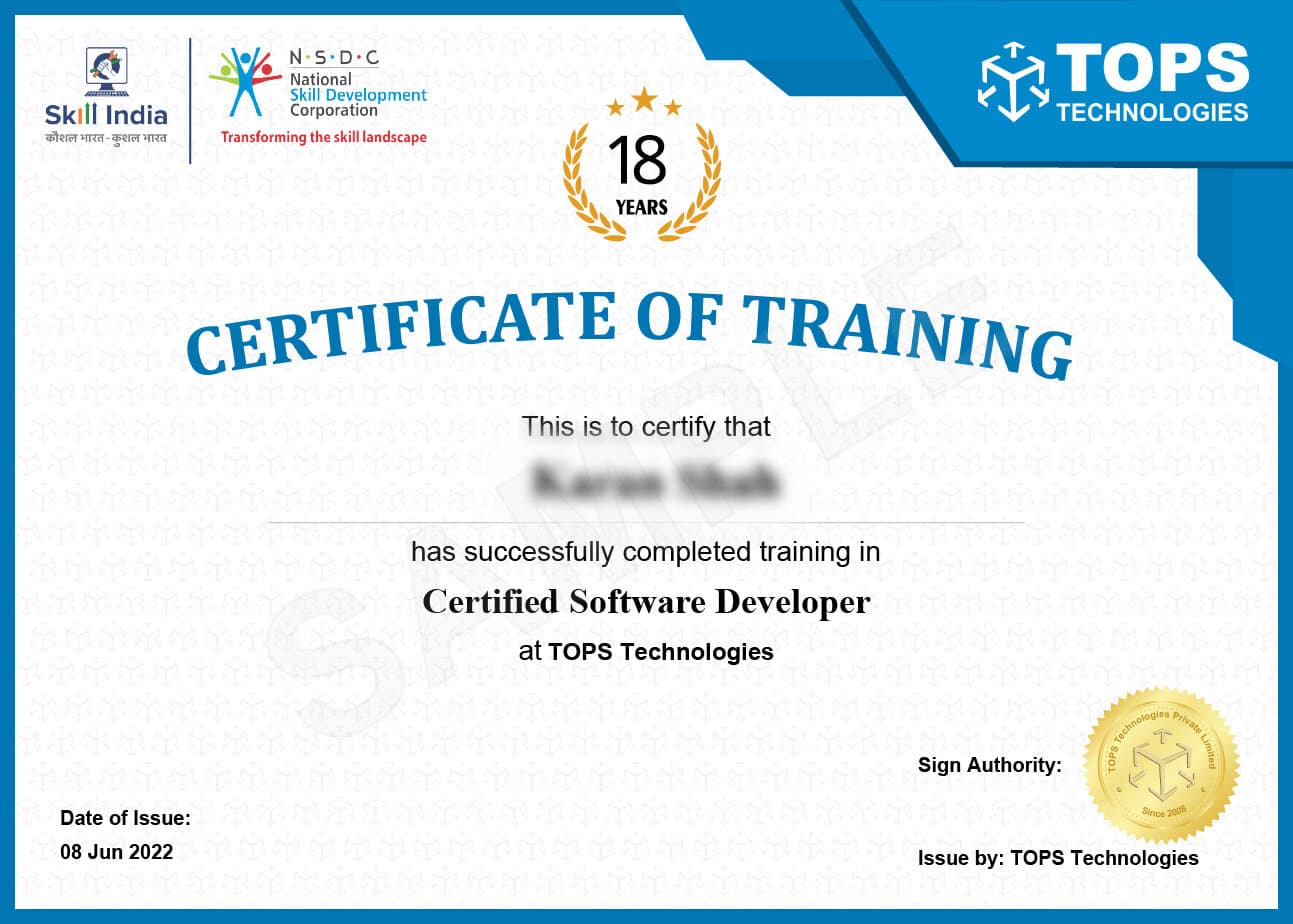
Get Training Certificate by Government
Recognized NSDC/Skill India

Certificate Demo Image
  • National Skill Development Corporation
  • Supported by the vision of PM Shri Narendra Modi
  • Certification by NSDC SkillIndia
  • Valid for all Jobs and College Training
  • International Recognition
Certificate Demo Image

Student Reviews

FAQ

A Web Development course combines practical and theoretical knowledge to help you develop the skills needed to design, create, and maintain websites. The fees for a Web Development course in Ahmedabad can depend on the duration of the course, the fee structure, and the location. The duration of the course also varies from one institute to another.

TOPS Technologies is a leading company that offers Web Development Courses in Ahmedabad with affordable fees. Get in touch with us today for a free consultation.

Yes, we offer live project training for Web Development in Ahmedabad. This is a hands-on course where you will get to work on real-time projects and learn the basics of Web Development.

The course is designed to provide you with a comprehensive understanding of the entire Web Development process. You will also get to experience what it’s like to work on live projects and make your own website from scratch.

TOPS Technologies offers Web Development Live Project Training in Ahmedabad. Our institute provides the best Web Development training in Ahmedabad, with live project training and placement assistance.

Industries like IT, BPO, and e-commerce are continuously growing. This means that there is a high demand for web developers who can create innovative and interactive websites. If you have the skills to do this, then you're in luck because there are plenty of opportunities for you out there.

If you want to work as a Web Developer in Ahmedabad, then here are some tips to help you get the job of your dreams:

- Find out what type of developer roles would suit your skill set

- Check if these roles offer flexible hours

- Consider working remotely or part-time

- Apply online through various portals

There are many organizations in Ahmedabad and other cities which provide web developer jobs. But it is really tough to find the right organization and job. At TOPS Technologies, we provide you with a list of the best web developer jobs in the city that meet your requirements.

TOPS provides high-quality Web Development courses with placement in Ahmedabad. They have a wide range of courses that are designed to help students develop the skills they need for the Web Development industry.

The institute also offers placement assistance to students who have completed their courses successfully. It provides them with opportunities to work with companies hiring in Ahmedabad and helps them find internships.

TOPS Technologies provides Web Development internships in Ahmedabad, India. We offer the best Web Development training opportunities and high-quality coding courses to help you grow your skill set. Learn how to design and develop a website from scratch with our professional guidance. You will be provided with internships for real-world projects and hands-on experience in web technologies like HTML, CSS3, JavaScript, jQuery, AJAX, and more.

A web developer's salary in Ahmedabad is influenced by the company they work for, their experience level and skill set. Web developers are a crucial part of any digital agency. They are responsible for creating websites and apps that work well on different devices and platforms. The salary for web developers in Ahmedabad ranges up to Rs 12 lacs per annum.

If you're an aspiring web developer, TOPS is the place to be! Whether you're a fresher or an experienced professional, we'll provide you with all the expertise and training required to succeed. We'll provide you with various opportunities to enhance your skill set by providing projects focused on different areas of Web Development. Join us for our Web Developer Course in Ahmedabad and learn the ins and outs of Web Development.

We do. With 15+ years of experience, TOPS Technologies offers Ahmedabad's No.1 Web Development Interview Preparation for Freshers institute. We help our students to crack interviews in top-notch companies like Cisco, Microsoft, Google, and many more. If you're looking to land a job in Web Development from Ahmedabad, get in touch with us.

Leave your competition behind with our cutting-edge Web Development Classes in Ahmedabad. We offer classes to help you ace your interviews and land that dream job. TOPS Technologies is also a one-stop solution for all your Web Development needs, from website designing and development to internet marketing solutions.

Web developers are the ones who build websites and other online applications. They use a variety of skills to make sure that they are creating sites that are both functional and attractive.

Web developers are in high demand, and there is no shortage of job opportunities for them. They need to have a wide range of skills and qualities to be successful in their career.

Skills: A web developer needs a wide range of skills in order to complete their work successfully. They need to have technical skills as well as creativity, problem-solving, and communication skills. A web developer needs to know how to code, design, and develop websites. They also need to be skilled in HTML, CSS, JavaScript, PHP, Java Script, etc.

Qualities: Web developers need to be able to think logically and creatively, be able to solve problems quickly and efficiently, and be good at communicating with clients, colleagues, designers, and programmers. Web developers need to be creative and passionate about technology. They should also have strong problem-solving skills and the ability to work well with people from various backgrounds.

 HTML (HyperText Markup Language) is the backbone of all web pages. It provides the structure of a webpage using elements like headings, paragraphs, images, links, and more. HTML tells the browser how to display content, but it doesn’t control how it looks—that’s where CSS comes in.

 HTML tags are predefined keywords enclosed in angle brackets (like <h1>, <img>, or <a>) that define different parts of a webpage. Attributes provide extra information about elements, such as src in an <img> tag or href in an <a> tag. For example:

<img src="logo.png" alt="Website Logo">

Semantic HTML uses meaningful tags that clearly describe their purpose. For example, <article>, <footer>, and <nav> give structure and context to the content, improving readability, accessibility, and SEO.

Interview Questions

Front-end developers are responsible for coding the front end of a website, which the user interacts with and sees. Back-end developers are responsible for coding the back-end of a website, which the user sees. This includes server-side coding and database integration.

The most popular programming languages for web development are HTML, CSS, JavaScript, PHP, and Python. HTML is used to create the structure of a website, CSS is used to style a website, JavaScript is used to make a website interactive, PHP is used for server-side programming, and Python is used for scripting.

A content management system (CMS) is a software application for creating, managing and publishing digital content, such as websites, blogs, and forums. It allows users to easily create and update content without knowing any coding languages. Popular CMSs include WordPress, Drupal, and Joomla.

A framework is a pre-defined set of tools and libraries for developing websites and web applications. Frameworks provide a structure for developers to quickly and easily build websites and applications. Popular web development frameworks include Ruby on Rails, Django, and Laravel.

Frameworks can be beneficial for web development because they provide a structure for developers to quickly and easily build websites and applications. They also provide pre-defined tools and libraries to help developers save time and reduce complexity. Additionally, open-source frameworks are free to use and can be easily customised to fit specific needs.

SEO (Search Engine Optimization) optimises a website or web application to improve its visibility in search engine results. It involves optimising content, adding relevant keywords, and creating links to other websites. This helps search engines understand and index a website, resulting in higher rankings in search engine results.


 There are several methods, including flexbox and grid layouts.


  • The **id** attribute is used to uniquely identify a single element on a page. It must be unique within the document and is typically used for targeting with JavaScript or CSS. Example: <div id="header">
  • The **class** attribute is used to group multiple elements with the same styling or behavior. Multiple elements can share the same class. Example: <div class="button">
  •  IDs are referenced in CSS using #id, while classes are referenced using .class.

The alt attribute provides alternative text for images, which serves multiple important purposes:

  • Accessibility: Screen readers use the alt text to describe images to visually impaired users.
  • Fallback Content: If the image cannot be displayed due to a broken link or loading issue, the alt text is shown instead.
  • SEO: Search engines use alt text to understand the content of an image, improving the site's discoverability in image searches.
  • Example: <img src="logo.png" alt="Company Logo">

 There are three main types of CSS used to style HTML elements:

  • Inline CSS: Styles are written directly within the HTML element using the style attribute. Example: <p style="color:blue;">Text</p>
  • Internal CSS: Styles are defined within a <style> tag inside the <head> section of an HTML document. This is useful for applying styles to a single page.
  • External CSS: Styles are written in a separate .css file, linked to the HTML using the <link> tag. This is the most scalable and efficient method for styling multiple web pages.

Latest Blogs